Tutorials
Each walkthrough prepares the data with command-line tools, from sequences to an alignment, a tree and annotations, and ends on a link that opens the result in JBrowseMSA.
Families and domains
-
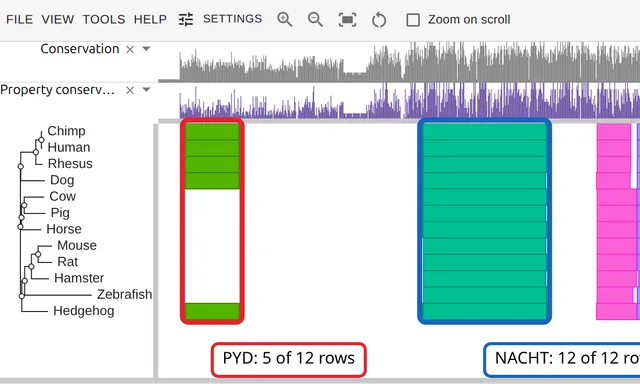 A protein family from a list of accessions
Twelve UniProt accessions to an alignment, a tree and Pfam domains, in four commands outside the viewer.
-
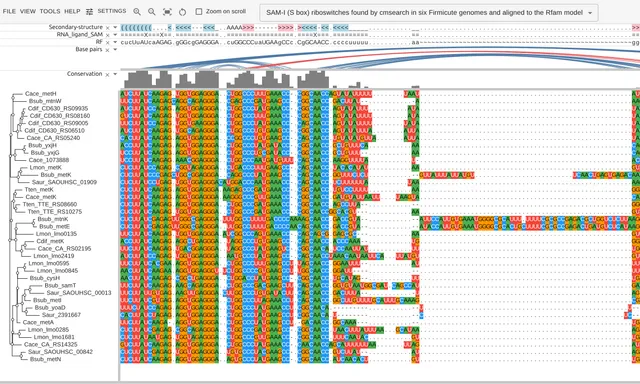 An RNA family, from a model and six genomes
Search six bacterial genomes with an Rfam covariance model, align the 37 hits, and read the consensus structure off the result.
-
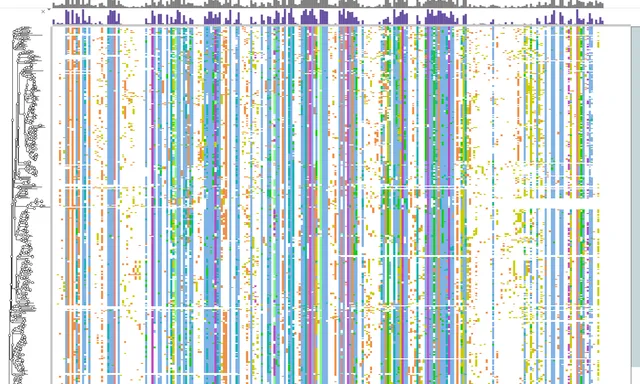 Reading cross-reactivity off the kinase pocket
474 human kinase domains, comparing the ATP-pocket residues of the kinases imatinib inhibits with those it does not.
Per-residue evidence
-
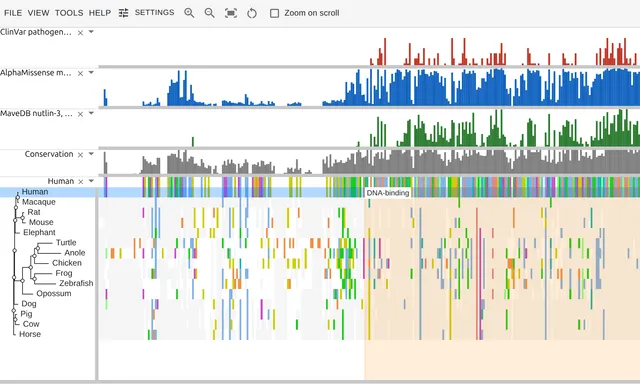 Where p53's damaging variants fall
ClinVar, AlphaMissense and a saturation screen, each a bar per residue over the same fifteen-species p53 alignment.
-
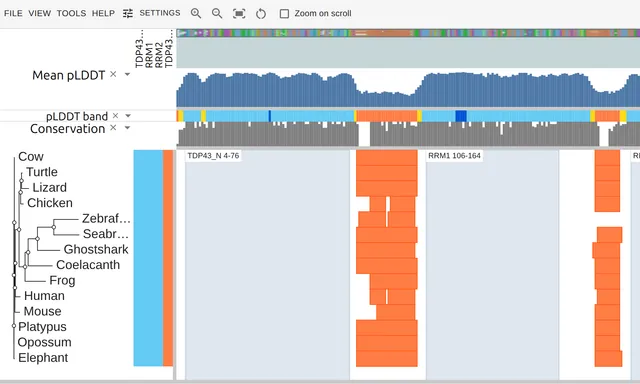 AlphaFold confidence across a protein family
Fourteen vertebrate TDP-43 orthologs, each with the per-residue pLDDT of its own AlphaFold model.
-
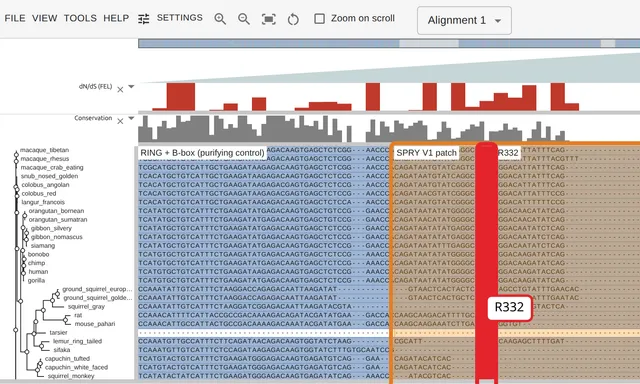 TRIM5 and the primate antiviral arms race
32 TRIM5 orthologs to a codon alignment, a tree, an exon structure and a per-codon dN/dS track from HyPhy.
Structures
-
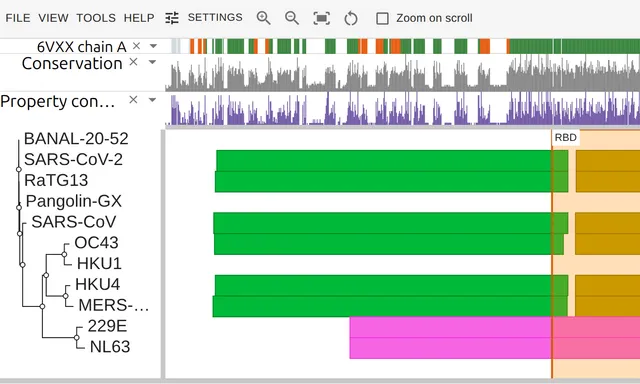 The SARS-CoV-2 furin insert and PDB 6VXX
Eleven coronavirus spikes, the four residues its closest relatives lack, and a SIFTS correspondence recording which residues of that row PDB 6VXX resolved.
-
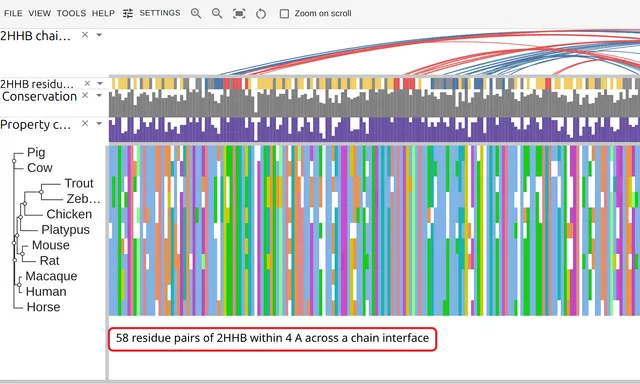 Hemoglobin's two subunits and the interfaces between them
Alpha and beta globin from eleven vertebrates, with the residue pairs in contact between the chains of PDB 2HHB drawn as arcs.
-
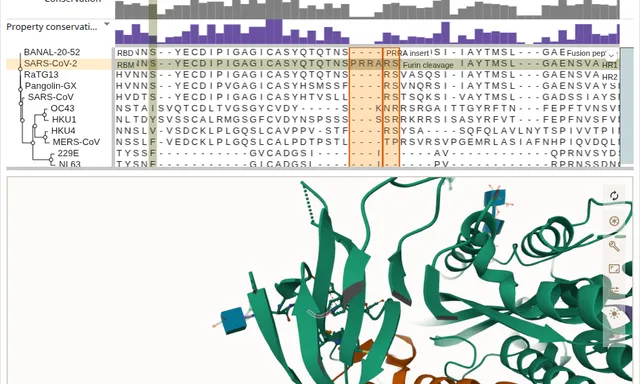 An alignment linked to its structure
The spike and hemoglobin alignments beside PDB 6VXX and 2HHB in Mol*. A residue hovered in either view lights in the other.
Phylogenies and metadata
-
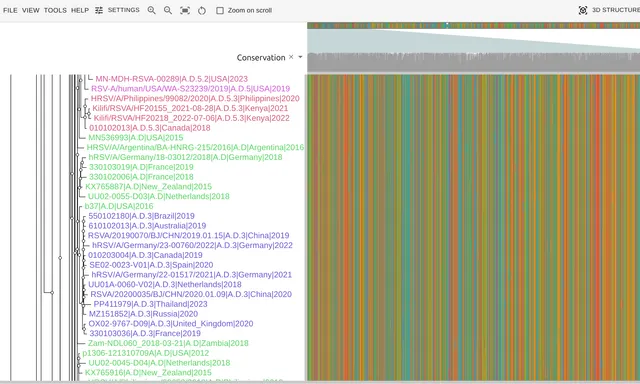 An RSV phylogeny from a public Nextstrain build
A Nextstrain tree of 1,840 RSV genomes, reconstructed to an alignment and colored by clade, country, region and year.
-
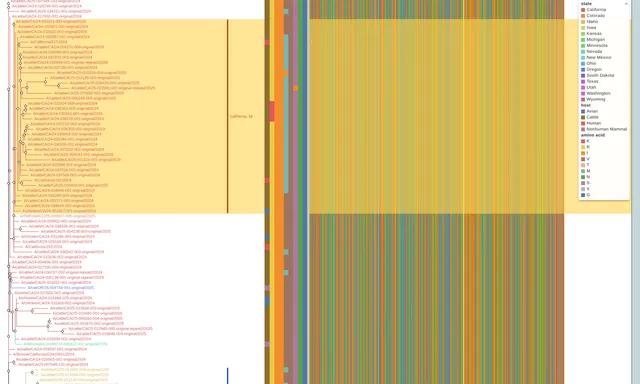 An H5N1 surveillance figure
204 genomes from Nextstrain's H5N1 cattle-outbreak build, with host, state and one amino-acid site per segment as strips beside the HA alignment.
-
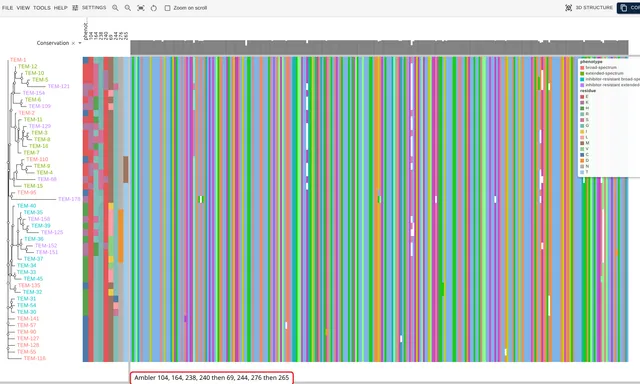 TEM beta-lactamase alleles and what they hydrolyze
46 named TEM alleles from NCBI's Reference Gene Catalog, with each one's phenotype and its residues at the Ambler resistance positions.
Genomes and recombination
-
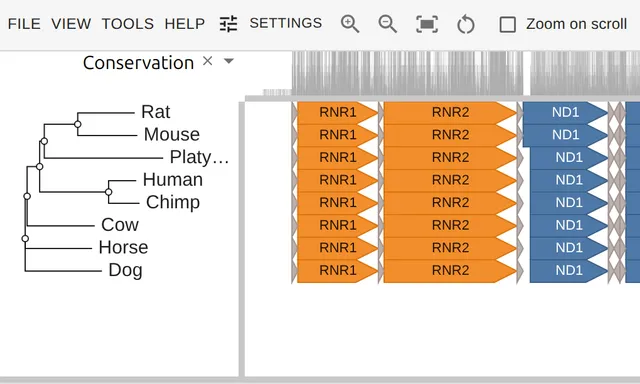 Eight mitochondrial genomes and the genes on them
Eight mammal mitogenomes from RefSeq as one alignment, with all 37 genes per genome drawn as strand arrows colored by respiratory complex.
-
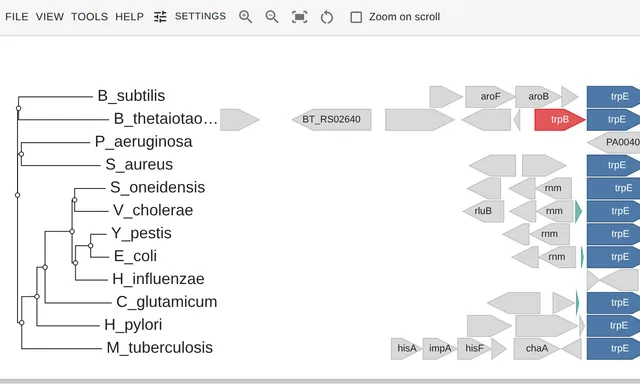 Gene neighborhoods of the tryptophan operon
Twelve bacterial genomes, 8 kb either side of trpB, drawn as gene arrows beside a tree built from TrpB.
-
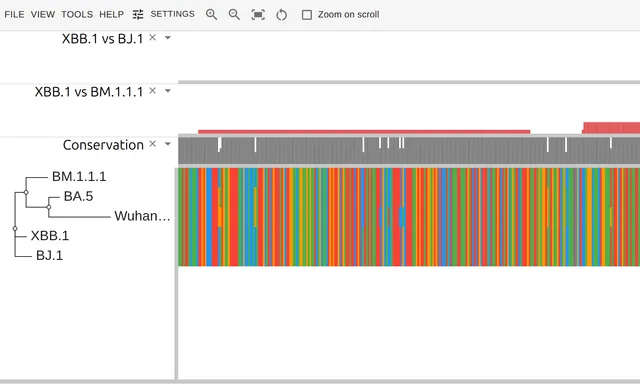 The recombination breakpoint in XBB's spike gene
Five SARS-CoV-2 genomes aligned whole, with the recombinant XBB.1 scanned against its two BA.2 parents to place the breakpoint.
-
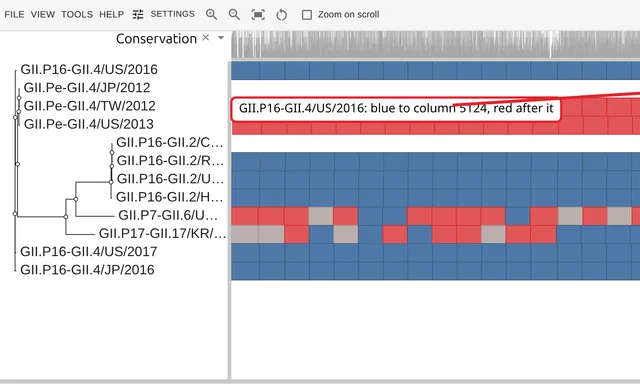 Recombination at the norovirus ORF1/ORF2 junction
Twelve norovirus GII genomes aligned whole, each row colored by its closer parent to place the ORF1/ORF2 breakpoint.
R, Python, JBrowse and web pages
-
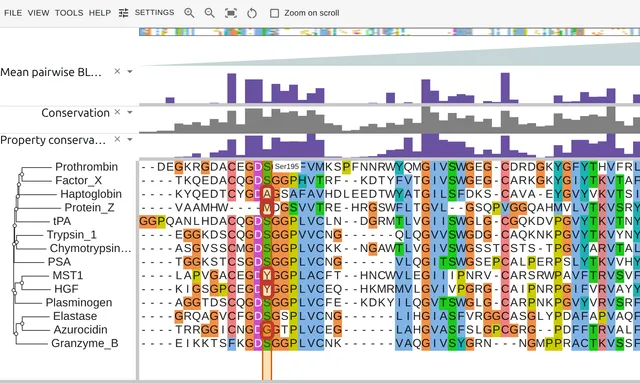 A protease family in R
Fourteen peptidase S1 domains from UniProt, aligned with DECIPHER, a tree from ape, and two layers R computes.
-
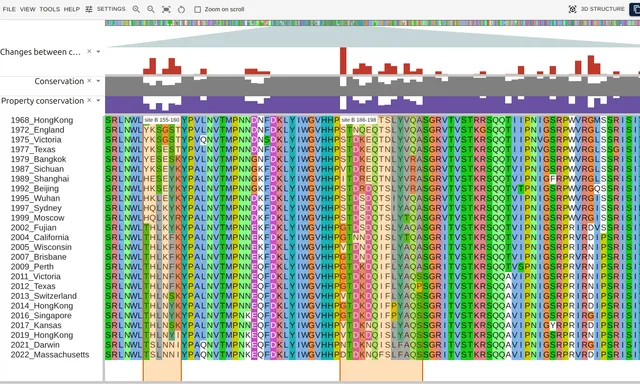 Influenza drift in a notebook
25 H3N2 vaccine strains from 1968 to 2022 as one hemagglutinin alignment in Jupyter, with a count of how often each column changed.
-
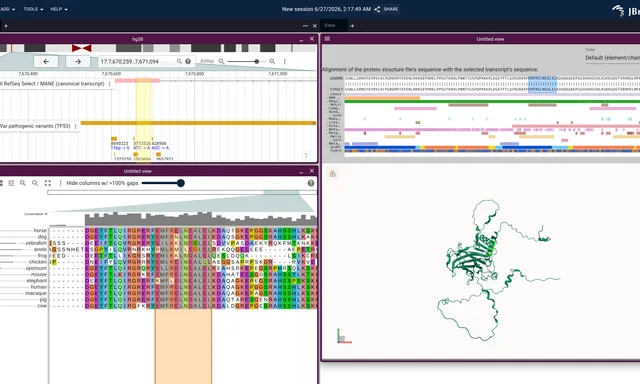 JBrowse 2 integration
The same alignment and tree opened inside JBrowse 2 beside a genome view and an AlphaFold structure, each session a single URL.
-
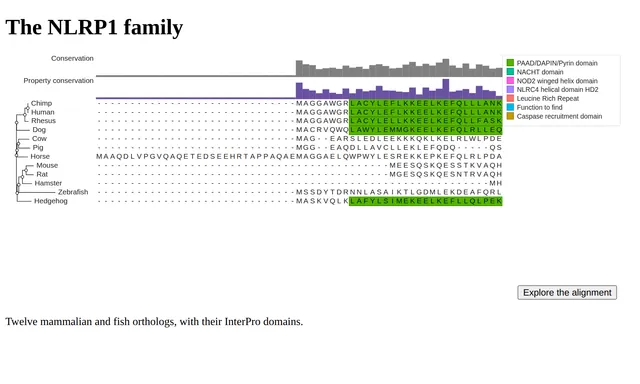 An alignment on your own page, static first
The NLRP1 family as an SVG the CLI draws, 6.6 KB gzipped, swapped for the live viewer on a click, measured with Lighthouse against loading the viewer at once.
See also the layers reference and the examples.